Pre-order ITIL Foundation (Version 5) with a discount!

Ends:

Days
Hours
Minutes
Seconds
Detectando sua região…

+de 71 mil alunos

IT-Shaped Cybersecurity Vulnerabilities and Threats Foundation – T-CVTF
Official Preparatory Course for the IT-Shaped Exam
Rated 5 out of 5
Taxa de Aprovação 95%

💡 Dica de Economia: Adicione o Curso e pague apenas R$ 1,00 nele!

💡 Dica de Economia: Adicione o Exame e leve este Curso por apenas R$ 1,00!

✅ Melhor Escolha:
Com este pacote, o Curso sai por apenas R$ 1,00.

......

*Promoção válida apenas para PF e residentes no Brasil
** Preço com desconto apenas para Pessoas Físicas. Faturamento para PJ, confira a nossa política de preço

Sobre o Curso

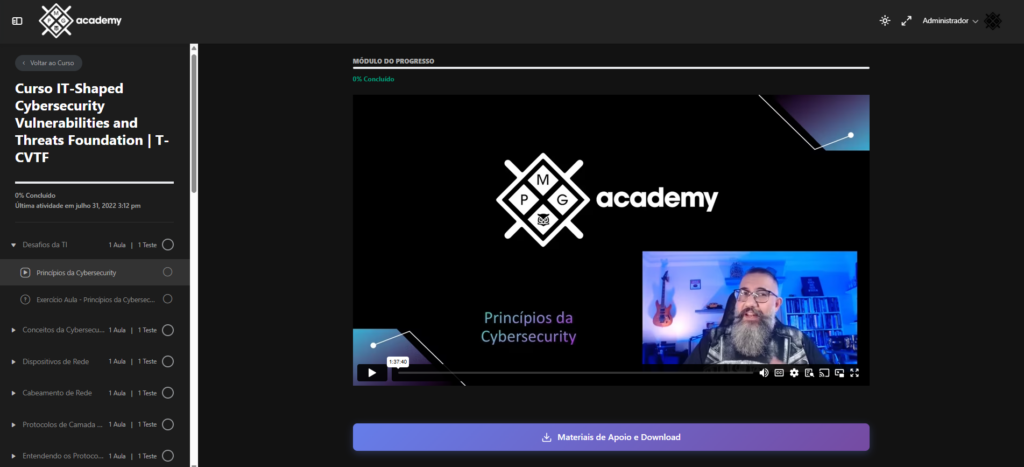
In this course, you will learn the principles and fundamentals of Cybersecurity analysis in an organization.

You will understand the basic terminology, learn about cybersecurity tools and devices, and the main attacks, vulnerabilities, and cyber threats, from Malware to Social Engineering, including Application Attacks, Network Attacks, Threat Actors, and understanding the fundamentals of Protocols and Networks.

Público Alvo

Professionals and students who wish to become Cybersecurity analysts, being able to develop and apply an effective Cybersecurity strategy to protect against threat actors in an organization, avoiding problems and vulnerabilities.

Exame e Certificação

This course is preparatory for the official IT-Shaped T-CVTF certification exam.

  • Exam languages: Portuguese and English
  • Number of questions: 40 questions
  • Exam duration: 1 hour
  • Passing score: 65% (26/40)
  • Difficulty level: Easy
  • Prerequisites: IT-Shaped strongly recommends the T-CVTF preparatory course
  • Open book exam: No
  • Exam format: Online

Sobre o Instrutor

15 anos de excelência em treinamento com mais de 71.000 alunos aprovados.

Adriano é um ITIL Master, consultor e autor de 6 livros, trazendo 25 anos de experiência e mais de 50 certificações em Gestão de TI, Segurança e Governança. Como líder da maior comunidade de ITSM e DPSM (mais de 220 mil inscritos no YouTube), ele combina seu MBA pela FGV — uma das melhores escolas de negócios do mundo — com uma especialização em Neurociência para orientar uma rede global de mais de 71.000 alunos. Sua missão é clara: desmistificar a gestão complexa e transformar conhecimento técnico em valor tangível e impacto no mercado.

Adriano Martins Antonio, ITIL 4 Master

Tradutor oficial do Guia ITIL Foundation (Versão 5)

Conteúdo

  • Cybersecurity Definitions
  • Difference between Information Security and Cybersecurity
  • Digital Transformation
  • Social Changes
  • Changes in the Economic Model
  • Political Changes
  • Attackers Almost Always Win
  • The Role of Cybersecurity
  • CIA Triad Principles in IT Infrastructures
  • Confidentiality Principle of the CIA Triad
  • Security Controls that Ensure Confidentiality
  • Why Control Data Confidentiality?
  • Specific Cybersecurity Controls for Data Confidentiality
  • The Role of Cryptography in the Confidentiality Principle
  • The Role of Steganography in the Confidentiality Principle
  • Integrity Principle of the CIA Triad
  • About Data Integrity and Intellectual Property Assets
  • Why Control Data Integrity?
  • The Role of Hashing in the Integrity Principle
  • Practical Examples of Using the Integrity Principle
  • Other Means of Integrity besides Hashing
  • Availability Principle of the CIA Triad
  • Characteristics of the Availability Principle
  • Solutions to Ensure Availability
  • Lesson Exercise – Cybersecurity Principles
  • Cybersecurity Concepts
  • Types of Security
  • Physical Security
  • Communications Security
  • Computer Security
  • Network Security
  • Basics of Information Security Principles
  • Least Privilege
  • Separation of Duties
  • Job Rotation
  • Need to Know Concept
  • Layered Security (Defense in Depth)
  • Defense Diversity
  • Due Diligence and Due Care
  • Vulnerability and Exploit
  • Lesson Exercise – Cybersecurity Concepts
  • Basics of Network Devices
  • Hub
  • How a Hub Works
  • Switch
  • How a Switch Works
  • Port Security
  • Ability to Disable Ports
  • Collision Domains
  • VLAN
  • Looking at VLANs on a Switch
  • Router
  • Load Balancer
  • DNS Round-Robin
  • Firewalls
  • Proxy Servers
  • Lesson Exercise – Network Devices
  • Understanding Network Cabling
  • Twisted Pair Cable
  • Unshielded Twisted Pair Cable
  • Images of Cable Types
  • Straight-Through Cabling
  • Crossover Cabling
  • Shielded Twisted Pair (STP) Cabling
  • Fiber Optic Cable
  • Types of Fiber Optic Cable
  • Fiber Optic Cable – Characteristics
  • Images of Connector Types
  • Summary of Cable Types
  • Lesson Exercise – Network Cabling
  • IP Address
  • Subnet Mask
  • Default Gateway
  • Address Classes
  • Class A Addresses
  • Class B Addresses
  • Class C Addresses
  • Class D Addresses
  • Class E Addresses
  • Reviewing Address Classes
  • Special Addresses
  • Invalid Addresses
  • Lesson Exercise – Application Layer Protocols and Network Security Best Practices
  • Transmission Control Protocol (TCP)
  • TCP Three-Way Handshake
  • Three-Way Handshake Wireshark
  • Disconnecting (politely) from a TCP Session
  • Terminating Connection Wireshark
  • Disconnecting (rudely) from a TCP Session
  • TCP Flags
  • TCP Ports
  • TCP Header
  • User Datagram Protocol (UDP)
  • UDP Header
  • Internet Protocol (IP)
  • IP Header
  • Internet Control Message Protocol (ICMP)
  • ICMP Types and Codes
  • ICMP Header
  • Address Resolution Protocol (ARP)
  • Lesson Exercise – What is the TCP Protocol for?
  • HTTP e HTTPS
  • DNS
  • SMTP
  • POP3
  • IMAP4
  • SNMP
  • FTP
  • TFTP
  • SFTP
  • Telnet
  • SSH
  • SCP
  • NTP
  • LDAP
  • NetBIOS
  • Protocolos de Armazenamento de Rede
  • Entendendo o IPv6
  • Endereços IPv6
  • Implicações do IPv6
  • Segurança Física
  • Não Use Hubs
  • Configurar Senhas
  • Use a Segurança da Porta
  • Usar VLANs
  • Uso de Cabo e Protocolo
  • Exercício Aula – Fundamentos do Endereço IP
  • Attacks
  • Malware
  • Ransomware
  • Trojans
  • Worms
  • Potentially Unwanted Program (PUP)
  • Fileless Virus
  • Command and Control
  • Bots
  • Crypto-Malware
  • Logic Bombs
  • Spyware
  • Keyloggers
  • Remote Access Trojan (RAT)
  • Rootkits
  • Backdoors
  • Lesson Exercise – Malware
  • Password Attacks
  • Spraying
  • Dictionary
  • Brute Force
  • Offline
  • Online
  • Rainbow Tables
  • Plaintext/Unencrypted
  • Physical Attacks
  • Malicious Universal Serial Bus (USB) Cable
  • Malicious Flash Drives
  • Card Cloning
  • Skimming
  • Adversarial Artificial Intelligence (AI)
  • Tainted Training Data for Machine Learning (ML)
  • Security of Machine Learning Algorithms
  • Supply Chain Attacks
  • Cloud-Based vs. On-Premises Attacks
  • Cryptographic Attacks
  • Birthday Attack
  • Collision Attack
  • Downgrade
  • Lesson Exercise – Cyberattacks
  • What is Social Engineering?
  • Social Engineering Methods
  • First Method – Willingness to Help
  • Second Method – Creating a Hostile Situation
  • Key Characteristics of Social Engineering
  • Social Engineering Tools
  • Phishing
  • Smishing
  • Vishing
  • Spam
  • Spam Over Instant Messaging (SPIM)
  • Spear Phishing
  • Dumpster Diving
  • Shoulder Surfing
  • Pharming
  • Tailgating
  • Eliciting Information
  • Whaling
  • Prepending
  • Identity Fraud
  • Invoice Scams
  • Credential Harvesting
  • Hoax
  • Watering Hole
  • Typosquatting
  • Pretexting
  • Influence Campaigns
  • Principles (Reasons for Effectiveness)
  • Authority
  • Intimidation
  • Consensus
  • Scarcity
  • Familiarity
  • Trust
  • Urgency
  • Recognition
  • Impersonation
  • Third-Party Authorization
  • Third-Party Employees
  • Personification
  • Defenses
  • Urban Legend?
  • Lesson Exercise – Social Engineering
  • Privilege Escalation
  • Cross-Site Scripting (XSS)
  • Injection Attacks
  • SQL Injection
  • Dynamic Link Library (DLL)
  • Lightweight Directory Access Protocol (LDAP)
  • Extensible Markup Language (XML)
  • Pointer/Object Dereference
  • Directory Traversal Attack
  • Buffer Overflow
  • Race Condition
  • Time of Check / Time of Use
  • Improper Error Handling
  • Improper Input Handling
  • Replay Attacks
  • Session Replay
  • Integer Overflow
  • Request Forgery
  • Server-Side Request Forgery (SSRF)
  • Cross-Site Request Forgery (XSRF/CSRF)
  • Application Programming Interface (API) Attacks
  • Resource Exhaustion
  • Memory Leak
  • Secure Sockets Layer (SSL) Stripping
  • Driver Manipulation
  • Shimming
  • Refactoring
  • Pass the Hash
  • Lesson Exercise – Application Attacks
  • Wireless
  • Jamming Attack
  • Evil Twin Attack
  • Rogue Access Point
  • Bluejacking
  • Bluesnarfing
  • Disassociation Attacks
  • Radio Frequency Identification (RFID)
  • Near-Field Communication (NFC)
  • Initialization Vector (IV)
  • Man-In-The-Middle
  • Man-In-The-Middle Attack
  • Layer 2 Attacks
  • Address Resolution Protocol (ARP) Poisoning
  • Media Access Control (MAC) Flooding
  • MAC Cloning
  • Domain Name System (DNS)
  • Domain Hijacking
  • Poisoning
  • DNS Poisoning
  • Universal Resource Locator (URL) Redirection
  • Domain Reputation
  • Distributed Denial of Service (DDoS)
  • Distributed Denial of Service (DDoS)
  • DDoS Protection
  • SYN Flood
  • SYN Flooding in Action
  • DDoS Attack Vector
  • Application DDoS
  • Operational Technology (OT)
  • Malicious Code and Script Execution
  • PowerShell
  • Python
  • Bash
  • Macros
  • Visual Basic for Applications (VBA)
  • Lesson Exercise – Network Attack Indicators
  • What are Threats and Vectors?
  • Hacking and Actors
  • Degrees of Sophistication and Actors
  • Advanced Persistent Threats (APT)
  • Insider Threats
  • State Actors
  • Hacktivists
  • Script Kiddies
  • Criminal Syndicates
  • Hackers
  • Authorized
  • Unauthorized
  • Semi-Authorized
  • Shadow IT
  • Competitors
  • Actor Attributes
  • Internal/External
  • Level of Sophistication/Capability
  • Resources/Funding
  • Intent/Motivation
  • Lesson Exercise – Cyber Threat Actors
  • Vectors
  • Direct Access
  • Wireless
  • Email
  • Supply Chain
  • Social Media
  • Removable Media
  • Cloud
  • Threat Intelligence Sources
  • Open-Source Intelligence (OSINT)
  • Closed or Proprietary Tools
  • Vulnerability Databases
  • Information Sharing Centers (Public/Private)
  • Dark Web
  • Indicators of Compromise (IoCs)
  • Automated Indicator Sharing (AIS)
  • STIX and TAXII
  • Predictive Analysis
  • Threat Maps
  • File/Code Repositories
  • Research Sources
  • Vendor Websites
  • Vulnerability Feeds
  • Threat Feeds
  • Conferences
  • Academic Journals
  • Request for Comments (RFC)
  • Local Industry Groups
  • Social Media
  • Adversary Tactics, Techniques, and Procedures (TTP)
  • Lesson Exercise – Vectors and Intelligence Sources
  • Why do Vulnerabilities exist?
  • Reasons for Vulnerabilities
  • Types of Vulnerabilities
  • Cloud-Based vs. On-Premises Vulnerabilities
  • Zero-Day
  • Weak Configurations
  • Open Permissions
  • Unsecure Root Accounts
  • Errors
  • Weak Encryption
  • Unsecure Protocols
  • Default Settings
  • Open Ports and Services
  • Third-Party Risks
  • Third-Party Care
  • Vendor Management
  • System Integration
  • Lack of Vendor Support
  • Supply Chain
  • Outsourced Code Development
  • Data Storage
  • Weak or Inadequate Patch Management
  • Firmware
  • Operating System (OS)
  • Applications
  • Legacy Systems
  • Consequences of Vulnerability
  • Data Loss
  • Data Breaches
  • Data Exfiltration
  • Identity Theft
  • Financial
  • Reputation
  • Loss of Availability
  • Lesson Exercise – Exploiting Vulnerabilities
  • Threat Hunting
  • Intelligence Fusion
  • Threat Feeds
  • Advisories and Bulletins
  • Maneuver
  • Vulnerability Scans
  • False Positives
  • False Negatives
  • Log Reviews
  • Credentialed vs. Non-Credentialed
  • Intrusive vs. Non-Intrusive
  • Application Scanning
  • Web Application Scanning
  • Network Scanning
  • Configuration Scanning
  • Common Vulnerabilities and Exposures (CVE) / Common Vulnerability Scoring System (CVSS)
  • Syslog / SIEM
  • Report Review
  • Packet Capture
  • Data Inputs
  • User Behavior Analysis
  • Sentiment Analysis
  • Security Monitoring
  • Log Aggregation
  • Log Collectors
  • Security Orchestration, Automation, and Response (SOAR)
  • Lesson Exercise – Syslog
  • Lesson Exercise – Threat Hunting and Vulnerability Scans
  • What is Penetration Testing?
  • Basic Penetration Testing Process
  • Known Environment
  • Unknown Environment
  • Partially Known Environment
  • Rules of Engagement
  • Lateral Movement
  • Privilege Escalation
  • Horizontal and Vertical Escalation
  • Persistence
  • Cleanup
  • Bug Bounty
  • Pivoting
  • Passive and Active Reconnaissance
  • Drones
  • War Flying
  • War Driving
  • Footprinting
  • OSINT
  • Exercise Types
  • Red Team
  • Blue Team
  • White Team
  • Purple Team
  • Lesson Exercise – Pentest
  • What is Enterprise Security Architecture?
  • Configuration Management
  • Diagrams
  • Baseline Configuration
  • Baseline Operation
  • Standard Naming Conventions
  • IP Class and CIDR Notation
  • Data Sovereignty
  • Data Protection
  • Data Loss Prevention (DLP)
  • Masking
  • Encryption
  • At Rest
  • Data in Transit/Motion
  • In Processing
  • Tokenization
  • Rights Management
  • Response and Recovery Controls
  • Geographic Considerations
  • Site Resilience / Recovery Sites
  • Hot Site
  • Cold Site
  • Warm Site
  • Secure Sockets Layer (SSL)/Transport Layer Security (TLS) Inspection
  • How Inspection Works
  • Hashing
  • API Considerations
  • Deception and Disruption
  • Honeypots
  • Honeynets
  • Fake Telemetry
  • Honeyfile
  • DNS Sinkhole
  • Lesson Exercise – Enterprise Security Architecture
  • Cloud Models
  • Infrastructure as a Service (IaaS)
  • Platform as a Service (PaaS)
  • Software as a Service (SaaS)
  • Anything as a Service (XaaS)
  • Level of Control in Hosting Models
  • Public
  • Community
  • Private
  • Hybrid
  • Cloud Service Providers (CSP)
  • Managed Service Provider (MSP) / Managed Security Service Provider (MSSP)
  • On-Premises vs. Off-Premises
  • Fog Computing
  • Edge Computing
  • Thin Client
  • Containers
  • Microservices/API
  • Infrastructure as Code (IaC)
  • Software-Defined Networking (SDN)
  • Software-Defined Visibility (SDV)
  • Serverless Architecture
  • Service Integration
  • Transit Gateway
  • Resource Policies
  • Virtualization
  • Type I Hypervisor
  • Type II Hypervisor
  • Virtual Machine (VM) Sprawl Avoidance
  • VM Escape Protection
  • Lesson Exercise – Cloud and Virtualization
  • Software Development
  • Environment
  • Development
  • Testing
  • Staging
  • Production
  • Quality Assurance (QA)
  • Provisioning and Deprovisioning
  • Integrity Measurement
  • Secure Coding Techniques
  • Normalization
  • A rose is a rose is ar%6fse
  • Stored Procedures
  • Obfuscation/Camouflage
  • Code Reuse and Dead Code
  • Server-Side vs. Client-Side Execution and Validation
  • Memory Management
  • Use of Third-Party Libraries and Software Development Kits (SDKs)
  • Data Exposure
  • Open Web Application Security Project (OWASP)
  • Software Diversity
  • Compilers
  • Binaries
  • Automation/Scripting
  • Automated Courses of Action
  • Continuous Monitoring
  • Continuous Validation
  • Continuous Integration
  • Continuous Delivery
  • Continuous Deployment
  • Elasticity
  • Scalability
  • Version Control
  • Lesson Exercise – Secure Software Development, OWASP, Software Diversity, and Automation
  • Authentication Methods
  • Directory Services
  • Federation
  • Attestation
  • Technologies
  • Time-Based One-Time Password (TOTP)
  • HMAC-Based One-Time Password (HOTP)
  • Short Message Service (SMS)
  • Token Key
  • Static Codes
  • Authentication Apps
  • Push Notifications
  • Phone Call
  • Smart Card Authentication
  • Biometrics
  • Fingerprint
  • Retina
  • Iris
  • Facial Recognition
  • Voice Recognition
  • Vein
  • Gait Analysis
  • Efficacy Rates
  • False Acceptance
  • False Rejection
  • Crossover Error Rate
  • Multi-Factor Authentication Factors and Attributes
  • Factors
  • Something You Know
  • Something You Have
  • Something You Are
  • Attributes
  • Somewhere You Are
  • Something You Can Do
  • Something You Exhibit
  • Someone You Know
  • Authentication, Authorization, and Accounting (AAA)
  • Cloud vs. On-Premises Requirements
  • Lesson Exercise – Authentication Methods and Biometrics
  • Resilience
  • Redundancy
  • Diversity in Redundancy
  • Technologies
  • Vendors
  • Cryptography
  • Controls
  • Disk Redundancy
  • Redundant Array of Independent Disks (RAID) Levels
  • Multipath
  • Network Redundancy
  • Load Balancing
  • Network Interface Card (NIC) Teaming
  • Power Redundancy
  • Uninterruptible Power Supply (UPS)
  • Generator
  • Dual Power Supply
  • Managed Power Distribution Units (PDUs)
  • Redundancy with Replication
  • Storage Area Network (SAN)
  • VM
  • Local vs. Cloud Redundancy
  • High Availability
  • Scalability
  • Lesson Exercise – Cybersecurity Resilience
  • Backup Types
  • Full
  • Differential
  • Incremental
  • Backup Summary
  • Restoration Order
  • Online vs. Offline Backup
  • Snapshots
  • Image
  • Non-Persistence
  • Revert to Known State
  • Last Known Good Configuration
  • Live Boot Media
  • Image
  • Tape Drive
  • Disk Drive
  • Copy
  • Geographic Dispersal
  • Network-Attached Storage (NAS)
  • Storage Area Network (SAN)
  • Advantage: Cloud Storage
  • Disadvantage: Cloud
  • Offsite Storage
  • Distance Considerations
  • Lesson Exercise – Backup Types
  • Embedded Systems
  • Raspberry Pi
  • Field-Programmable Gate Arrays (FPGA)
  • Arduino
  • Supervisory Control and Data Acquisition (SCADA) / Industrial Control System (ICS)
  • SCADA Facilities
  • Industrial Environments
  • Manufacturing
  • Energy
  • Logistics Systems
  • Internet of Things (IoT)
  • Sensors
  • Smart Devices
  • Wearables
  • Securing Wearables
  • Facility Automation
  • Weak Default Configurations
  • Medical Systems
  • Vehicle Systems
  • Aircraft Systems
  • Smart Meters
  • Voice Over Internet Protocol (VoIP)
  • Heating, Ventilation and Air Conditioning (HVAC)
  • Drones
  • Multifunction Printers (MFDs)
  • Real-Time Operating Systems (RTOS)
  • Surveillance Systems
  • Communication Considerations
  • 5G
  • Baseband Radio
  • Narrowband Radio
  • SIM Cards and Zigbee
  • Constraints
  • Power
  • Compute
  • Network
  • Inability to Patch
  • Range, Cost, and Implicit Trust
  • Lesson Exercise – Embedded and Specialized Systems (Lessons 1 and 2)
  • The Value of Physical Security
  • Facility Concerns
  • Lighting and Windows
  • Doors and Walls
  • Security Concerns
  • Physical Access Controls
  • Fencing and Personnel
  • Perimeter Fencing
  • Guards
  • Sentinel Robots and Reception
  • Two-Person Integrity/Control (TPI)
  • Locks and Padlocks
  • ID Badges, Physical Tokens, and Proximity Readers
  • Mantrap
  • Secure Areas
  • USB Data Blocker
  • Secure Data Destruction
  • Physical Access Lists and Logs
  • Video Surveillance
  • Drones and Sensor Types
  • Understanding HVAC
  • Shielding
  • Fire Containment
  • Lesson Exercise – Physical Security
  • Understanding Cryptography
  • Substitution Ciphers
  • Transposition Cipher and Hashing
  • Authentication, Algorithms, and Keys
  • Using the Caesar Cipher
  • Repeating the Key
  • Vigenère Cipher
  • Key Strength/Length
  • Work Factor and One-Time Pad
  • Cipher Suites
  • Modes of Operation
  • Authenticated vs. Unauthenticated
  • XOR
  • Salt, IV, and Nonce
  • Weak/Deprecated Algorithms
  • Confusion, Diffusion, and Obfuscation
  • Random/Pseudo-Random Number Generation
  • Implementation vs. Algorithm Selection
  • Blockchain
  • What is it and Why Do We Use Cryptography?
  • Definitions
  • Codes and Ciphers: Defining Our Terms
  • Cryptography, Cryptology, or…?
  • Building Blocks of Digital Cryptographic Systems
  • Refactoring
  • Cryptographic Algorithms
  • Symmetric Cryptography
  • Advantages and Disadvantages of Symmetric Cryptography
  • Symmetric Cryptographic Algorithms
  • Asymmetric Cryptography
  • “The Enemy Knows Your System”
  • Keys and Key Management
  • Public and Private Keys
  • Advantages and Disadvantages of Asymmetric Cryptography
  • Asymmetric Cryptographic Algorithms
  • Quantum Cryptography
  • Hybrid Cryptosystems
  • Lightweight Cryptography and Homomorphic Cryptography
  • Design and Use of Cryptosystems
  • Cryptanalysis, Ethics, and Unethics
  • Cryptographic Primitives
  • Cryptographic Engineering
  • “Why Isn’t All This Stuff Secret?”
  • Cryptography and CIANA+PS
  • Confidentiality
  • Authentication
  • Integrity
  • Non-Repudiation
  • “But I Didn’t Get That Email…”
  • Availability
  • Privacy
  • Security
  • Understanding Hashing
  • Key Points About Hashing
  • Hash Algorithms
  • Lesson Exercise – Introduction to Cryptography
  • T-CVTF Mock Exam 1: 40 questions
  • T-CVTF Mock Exam 2: 40 questions
  • T-CVTF Mock Exam 3: 40 questions
  • T-CVTF Mock Exam 4: 40 questions

Suporte e Contato

WhatsApp

Converse conosco

Email

Enviar mensagem

FAQ

Common questions

Há mais de 15 anos, a PMG Academy mantém um dos SLAs de resposta mais rápidos do mercado. Seja você um aluno em potencial ou já matriculado, nosso tempo médio de resposta é de apenas 15 minutos!

* Horário de atendimento: de segunda a sexta, das 9h às 18h (horário de Brasilia/ GMT-3)

Reviews

Juliander Veloso
December 26, 2024

Another sensational training. It was possible to review several topics and, especially, understand and dive deeper into others.

Richard Cerqueira
July 31, 2024

Even though I already work in the information security field, I am taking the courses for improvement. Professor Adriano is very good; even at 2X speed, which is my normal, his explanations are very clear.

Quem confia na PMG Academy?

Redirecting to checkout...

Apenas o Curso

Válido por 1 ano

R$ 397,00
  • Curso Online e Oficial Completo
  • Simulados Preparatórios
  • Material de apoio em Português

 De: 

497,00

 Por: 

397,00

Curso + Exame

Válido por 1 ano

R$ 698,00
  • Curso Online e Oficial Completo
  • Voucher do Exame
  • Simulados Preparatórios
  • Material de apoio em Português

 De: 

1.307,00

 Por: 

698,00

Apenas o Exame

Válido por 1 ano

R$ 697,00
  • Voucher do Exame

 De: 

810,00

 Por: 

697,00

IT-Shaped Cybersecurity Vulnerabilities and Threats Foundation - T-CVTF + Exame Online

Válido por 1 ano

R$ 397,00
  • Curso Online e Oficial Completo em Português
  • Voucher do Exame Online Axelos (validade de 1 ano)
  • Simulados Preparatórios Peoplecert
  • Material de apoio em Inglês e Português
  • eBook Disponível na Plataforma da Peoplecert
  • Exercícios para fixação

 De: 

497,00

 Por: 

397,00

Retake Opcional. Adicione a formação no carrinho
e confirme o preço promocional